Connect · Patient CRM & Growth
Turn every patient enquiry into a next step.
Connect captures enquiries across your front office, prioritises who to follow up first, and automates the outreach that keeps them moving. When they convert, the relationship is already connected to the patient record.
Every one of these is included, on the same patient record.
Free plan · no credit card · see the whole platform
The intake gap
Stop losing prospective patients between the inbox and the schedule.
Patient enquiries arrive constantly across web forms, phone calls, SMS, email, and referrals. When they are managed across isolated inboxes and spreadsheets, high-intent enquiries stall, follow-up becomes inconsistent, and patients book elsewhere. Connect unifies front-office intake so every enquiry has a clear, trackable path to care.
Channels
Capture from every source. Reply on the one they used.
Enquiries arrive on a dozen different surfaces. They land in one queue, and your team responds from that same queue.
Capture from every source
Meta lead ads, your website, a QR code, a landing page, an embedded widget, an inbound call, or a spreadsheet you already have. Every source is tagged, so attribution starts at capture.
Reply on WhatsApp, SMS, email, or a call
The same queue sends on all four, and inbound replies and calls come back to the same thread. Bring your own WhatsApp number and your own Google Workspace or Microsoft 365 mailbox.
Consent enforced at the point of send
An opt-out on any channel stops every channel, with no expiry. Suppression is checked again at the final adapter, so no integration can route around it. On conversion the consent record transfers to the patient rather than being asked again.
Where the leads come from
Your existing patients are your best leads.
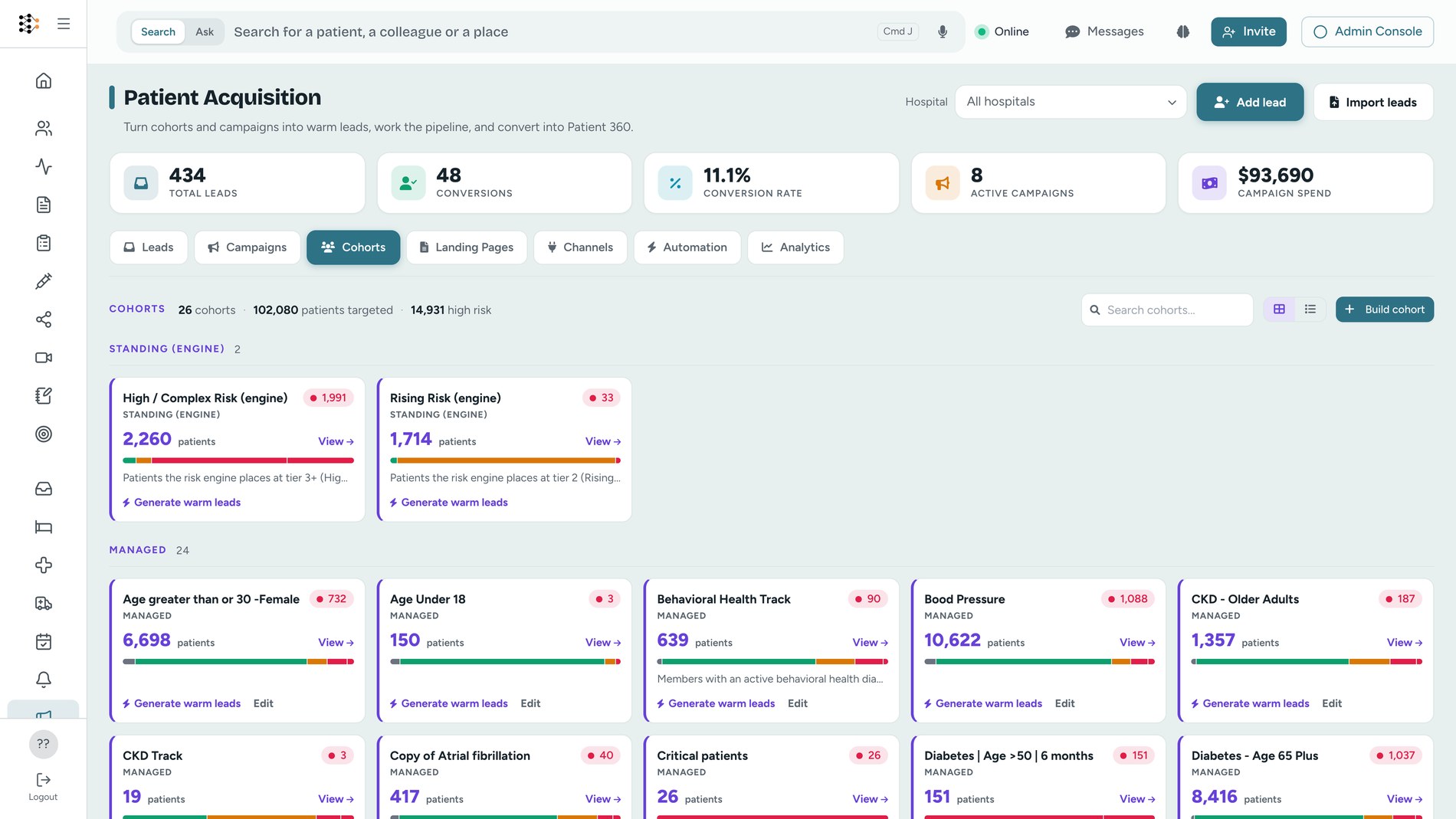
The risk engine scores your whole population across clinical, utilisation, access, and quality risk, and places every patient in one of five tiers. Rising Risk and High or Complex are standing cohorts that refresh every hour. A cohort can also be built on a care gap, an overdue medication, a condition, a procedure, or utilisation, with twenty-one kinds of criteria in all.
Lead scoring
Every score shows its working.
Each lead carries a number out of 100 with every contributing factor listed beside it, each with its own points. It also carries a response clock: set the window your team commits to, and the queue orders by what is overdue before what scores highest.
What it reads from the enquiry
Where it came from, since a referral counts for more than a purchased list. How recently it arrived, how far it has moved through the pipeline, and whether the person is already your patient.
What it reads from the record
For a patient you already have: active conditions, active coverage, and billing history. Each is disclosed as a band rather than an exact count or amount, so the queue can be ranked without putting a diagnosis on a sales screen.
What it deliberately ignores
The clinical risk tier. It depends on when a scoring batch last ran, so a worklist ranked on it would rank on batch timing. The tier selects the cohort. It does not order the queue.
AI
AI proposes. Your team approves.
Two AI jobs run inside the CRM. Neither can put a message in front of a patient on its own.
Campaign designer
Describe the campaign in a sentence and get back a landing page, a message sequence, and a nurture cadence, all as drafts. The model fills a typed brief and the platform renders every page and message, so it cannot write markup or a query. Copy claiming a cure or a guarantee is rejected before you see it.
Engagement agent
Every fifteen minutes it reads the queue and decides who to contact, who to leave, and who to hand to a person, then drafts the message. It has no access to the patient record, the care gaps, or the risk score.
Approvals
Proposals collect on the Leads tab. Edit the wording in place, then approve and send, or reject. If consent blocks the send it reports "approved, but not sent" rather than claiming it went out.
See it work
See how Connect keeps every enquiry moving.
Prioritise the queue, respond from anywhere, and keep the whole relationship in view.
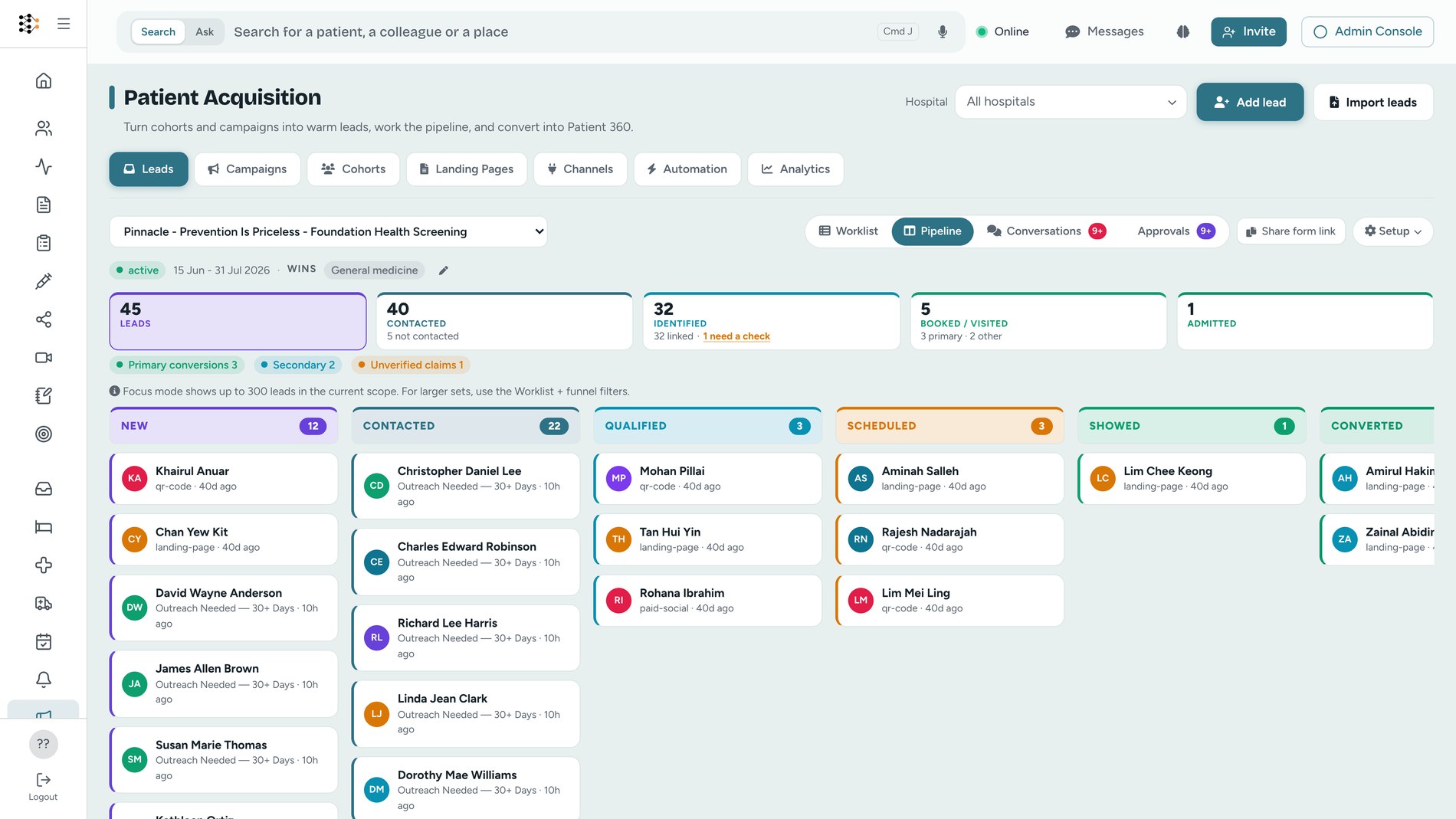
The same queue, in a pocket.
Front-office staff are not at a desk. On a phone, each person sees their own queue: overdue enquiries, follow-ups at risk of slipping, and work that is on track. They can call or message a lead without going back to a laptop.
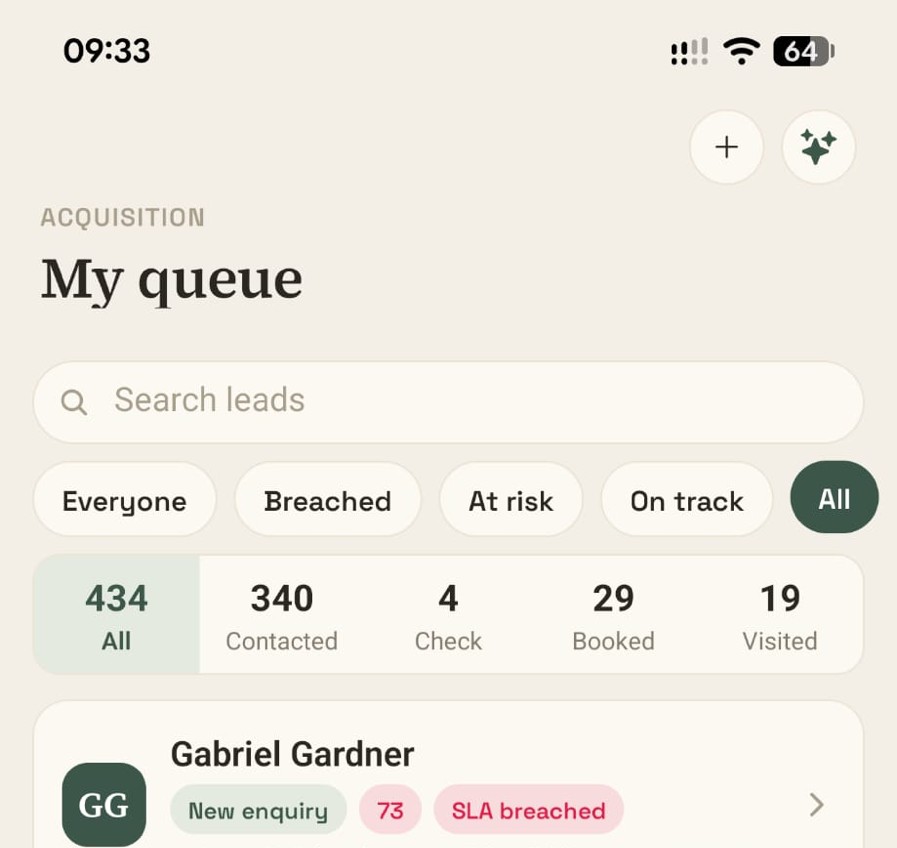
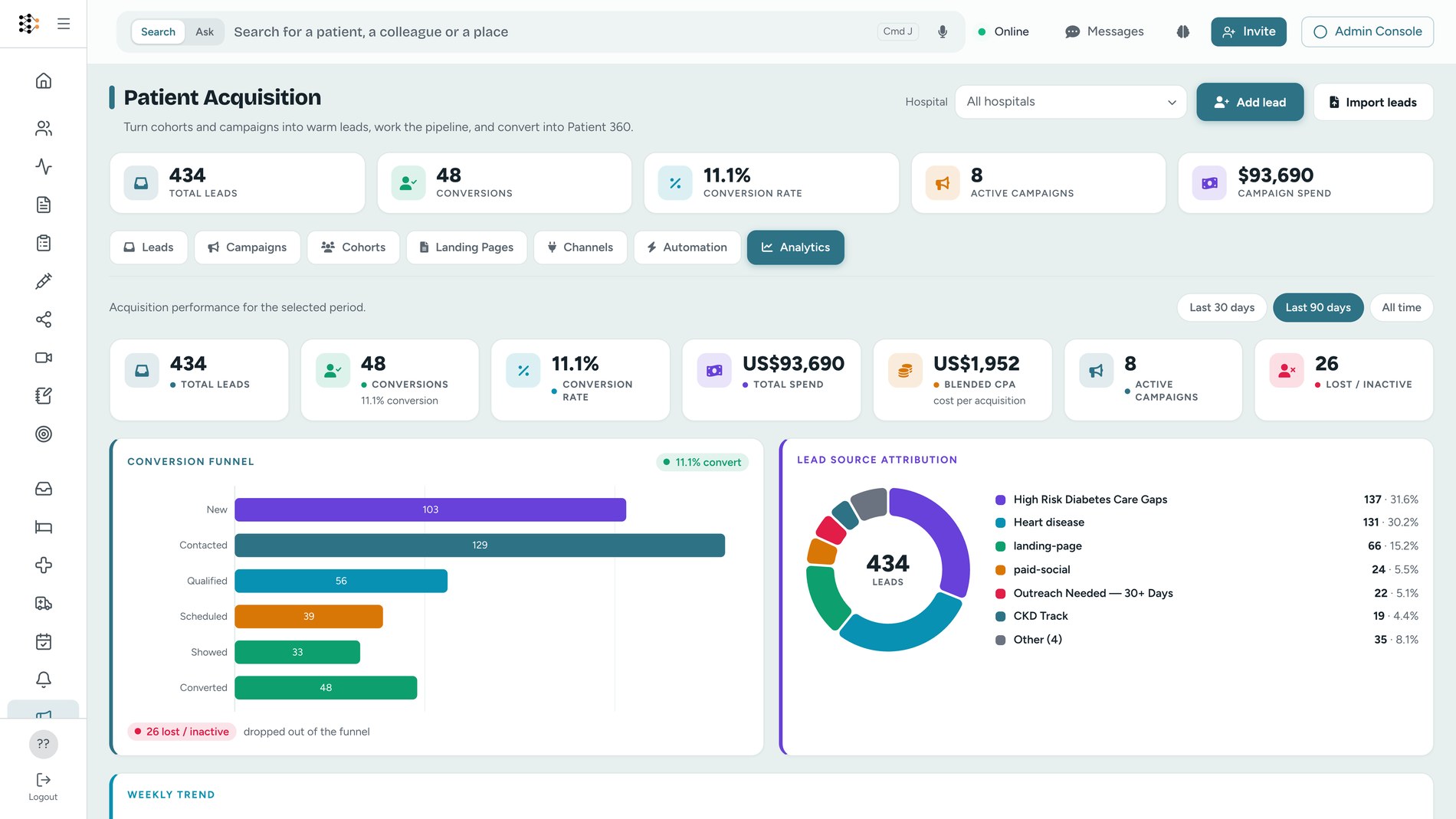
A FHIR-native CRM for patient acquisition and engagement.
Connect does not create another isolated marketing database for your team to reconcile. The cohort you campaign to is a FHIR Group, the patient you convert is a FHIR Patient, and the visit that proves it is a FHIR Appointment. Not a marketing schema that has to be mapped back to the chart later, but the same records your EMR, your analytics and your reporting already read. No duplicates to merge, no manual reconciliation, and full continuity between your front office and your care teams.
Applications
Built for high-volume healthcare workflows.
New patient enquiries
Automatically capture, score, and guide inbound web and phone enquiries through to booking.
Specialist and referral conversion
Track, route, and follow up on inbound clinical referrals to reduce delays and improve conversion.
Patient reactivation and recalls
Identify overdue care or recall cohorts and run governed, consent-backed reactivation messages.
Cancellation and waitlist filling
Automatically message qualified prospective patients when appointment slots open up.
Get started
Put your next enquiry to work.
Import a list of past enquiries and see which need attention, what follow-up is overdue, and where your pipeline is leaking.