Connect · Patient engagement
The front door your patients already use. Connected to the chart.
WhatsApp, SMS, email, voice and clinical forms in one queue. Every WhatsApp message is triaged before your team opens it, every form files itself as coded FHIR, and anything urgent is escalated rather than left in a list.
2B+ people use WhatsApp · 31 voice languages · matched to the chart, or held for a human
The communication gap
Stop running patient communication out of personal phones and shared inboxes.
Patients message on WhatsApp, text, email and call, often about the same thing on the same day. When those land on staff handsets and a shared mailbox, an urgent message waits behind a routine one, the same question gets answered twice, and none of it reaches the record. Connect brings every channel into one queue where each conversation is already attached to a patient.
One queue
Every channel your patients use, in one place.
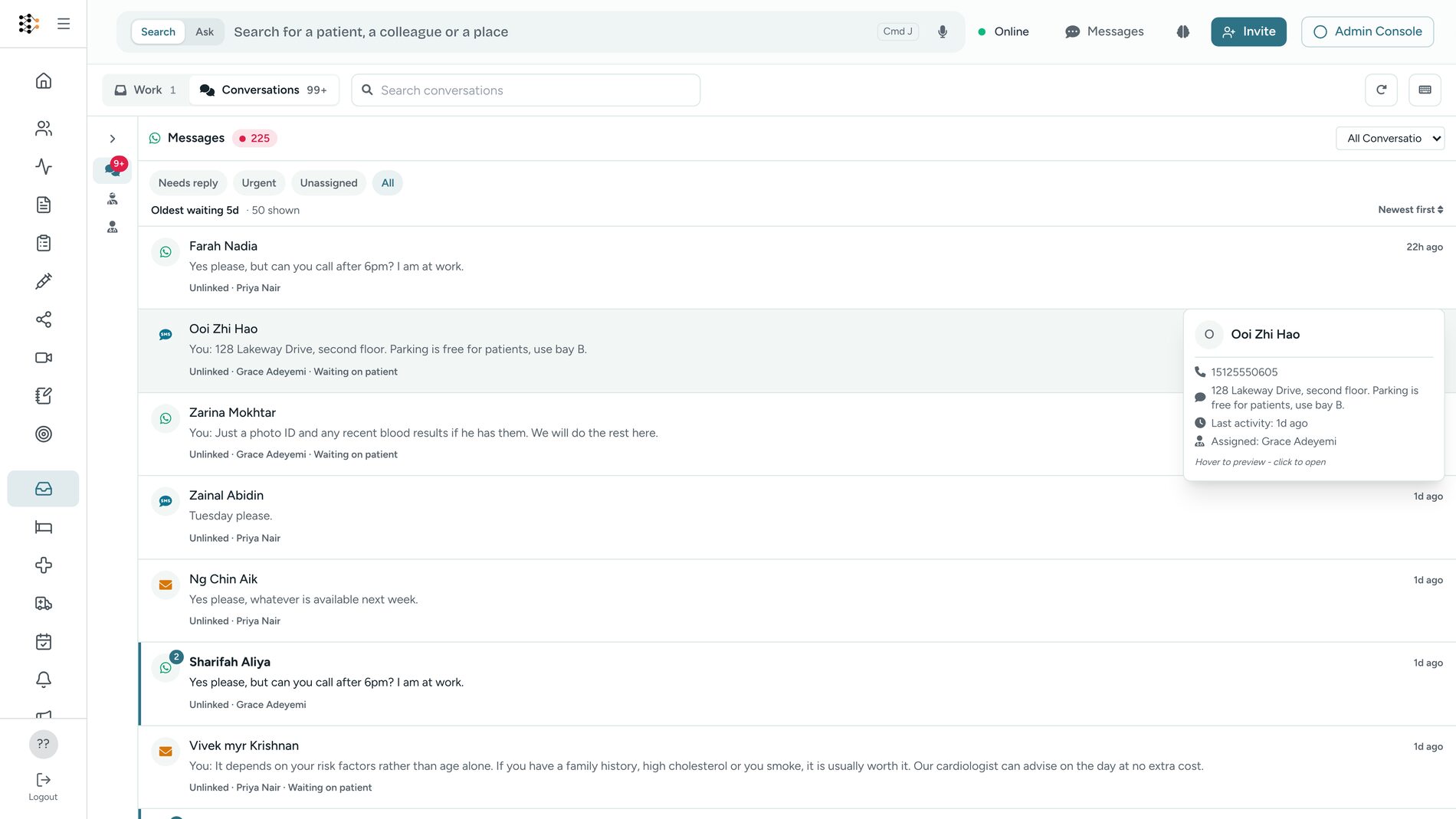
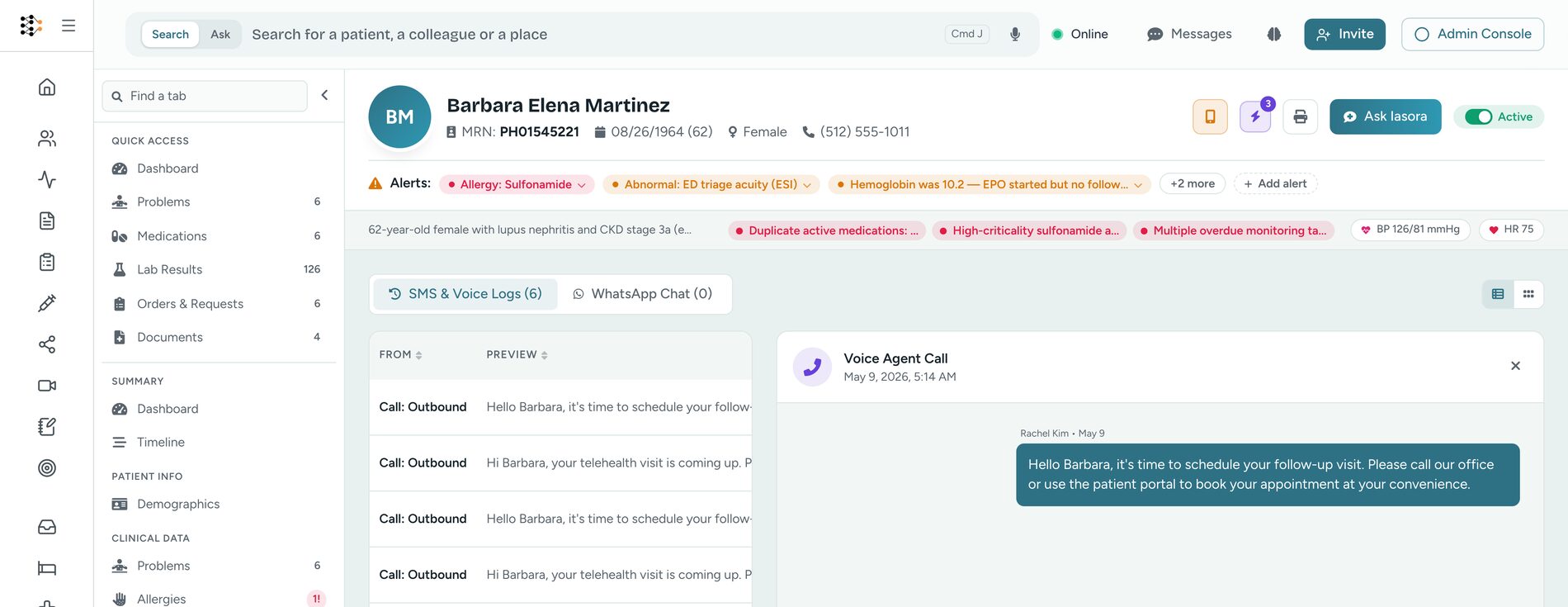
WhatsApp, SMS, email and calls arrive in the same list, each already matched to a patient or held for someone to check. Messages from your patient app keep their own tab in the same inbox.
Four channels, one list
WhatsApp, SMS, email and call records land in the same queue, ordered by what is newest and what is urgent. Each thread keeps the channel it came in on, so your reply goes back the way the patient reached you.
Matched on phone and email, or not at all
A conversation attaches to a chart only on a single high-confidence match. Two possible patients, or a partial one, and it waits for a person instead. Nothing is created automatically, so an unknown number never quietly becomes a duplicate record.
Turn an unknown sender into a patient
When the number is new, your team pulls the details out of the conversation into a draft and confirms it. Conditions, allergies and medications are written as provisional and tagged with where they came from, so a clinician can see they were taken from a message.
Triage
Triage that shows its reasoning.
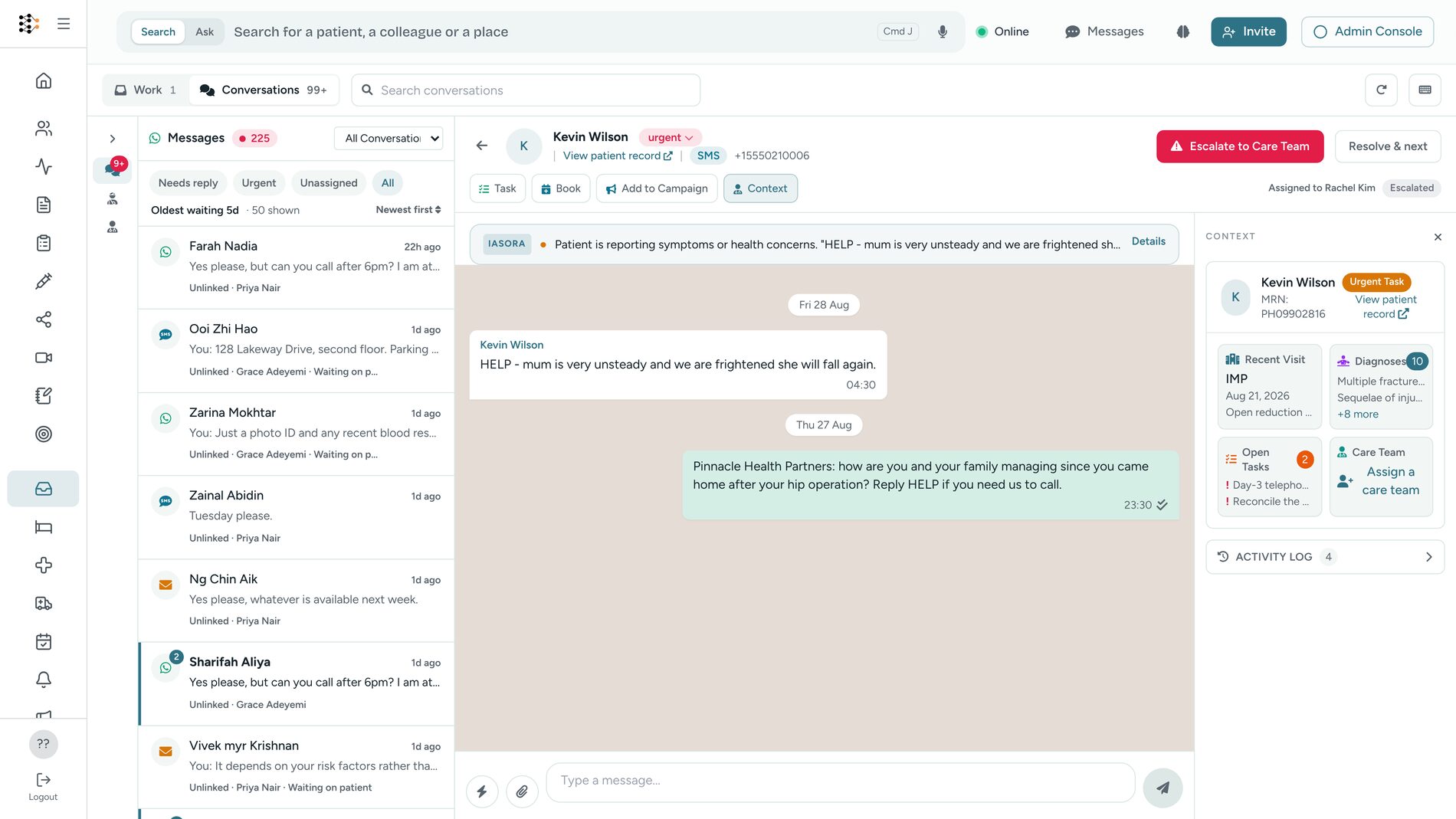
Every inbound WhatsApp message is read before your team gets to it, and what was concluded sits on the thread rather than behind a score.
Thirteen intents, not a mood score
Appointment request, question about an existing appointment, refill, medication question, symptom report, test results, billing, referral, follow-up, general question, greeting, and possible emergency.
Urgency, with the reason attached
Low, medium, high or critical, and the sentence explaining why. Medications, symptoms, body part, severity and duration are pulled out as structured detail, and a distressed tone is called out separately from a merely negative one.
Urgent means a person looks
High and critical force human review; nothing closes them automatically. Where you have set a routing rule, the message also opens a FHIR Task carrying the classification, and an urgent or critical reading raises that task's priority.
Voice
Calls your patients, in their own language.
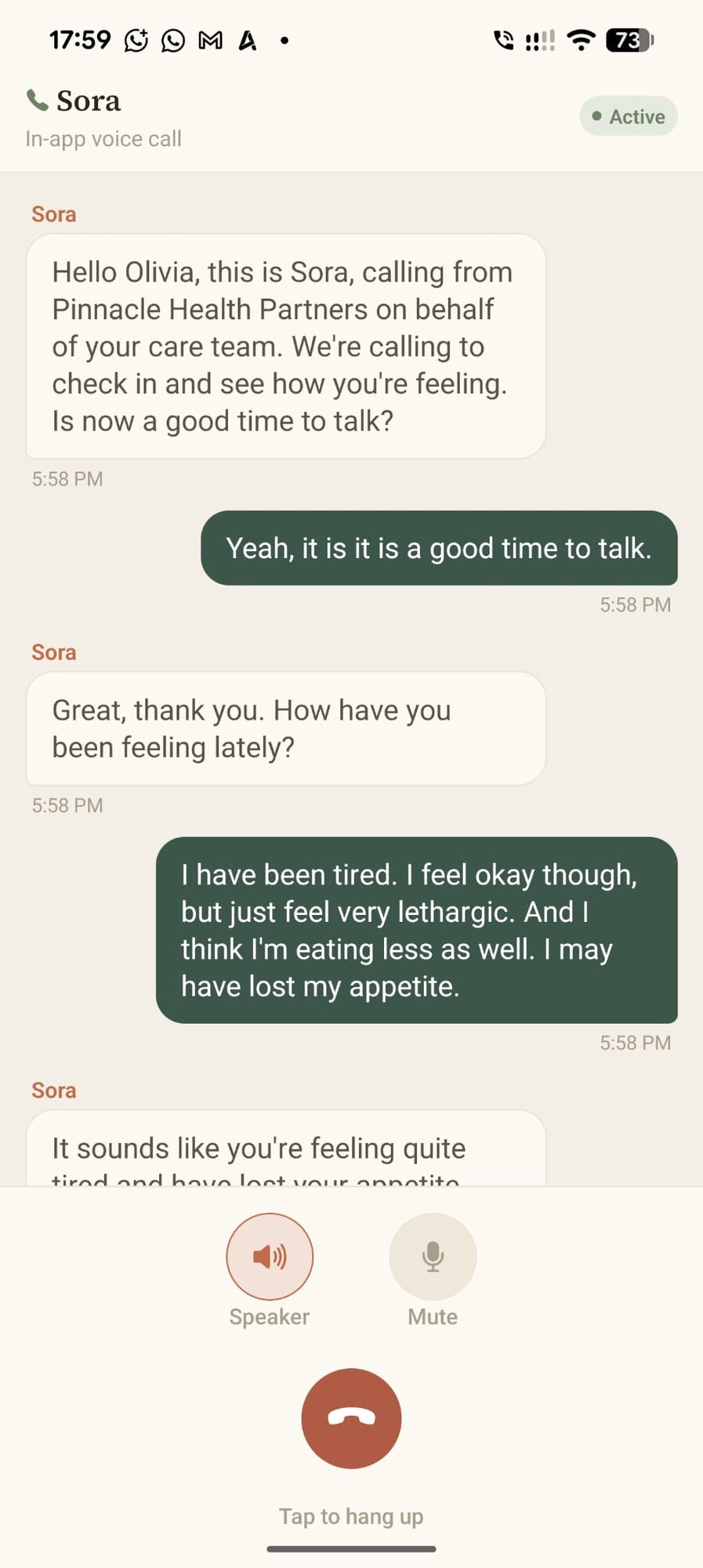
The voice agent speaks 31 languages across seven voices. It works on outbound calls to patients you already have, and on the calls that arrive after you have closed.
Books and reschedules on the call
On an outbound call to a patient on your list, it books, moves or cancels against real availability, and the change lands in the same calendar the front desk works from.
Check-in calls you design
Post-discharge check-ins, routine follow-ups and medication adherence run as workflows you draw, on the schedule you set. What the patient answers is kept against the call.
After hours, forwarded or answered
Set your opening hours once. Outside them a call goes straight through to your on-call number, or is answered with the out-of-hours guidance you wrote.
The patient just answers the call.
There is no app to install and no portal to sign into. Sora says who it is calling for and why, waits for an answer, and keeps going in the patient's own language. What was said stays with the call, so the team that picks it up afterwards can read it.
Forms
Forms that file themselves as coded FHIR.
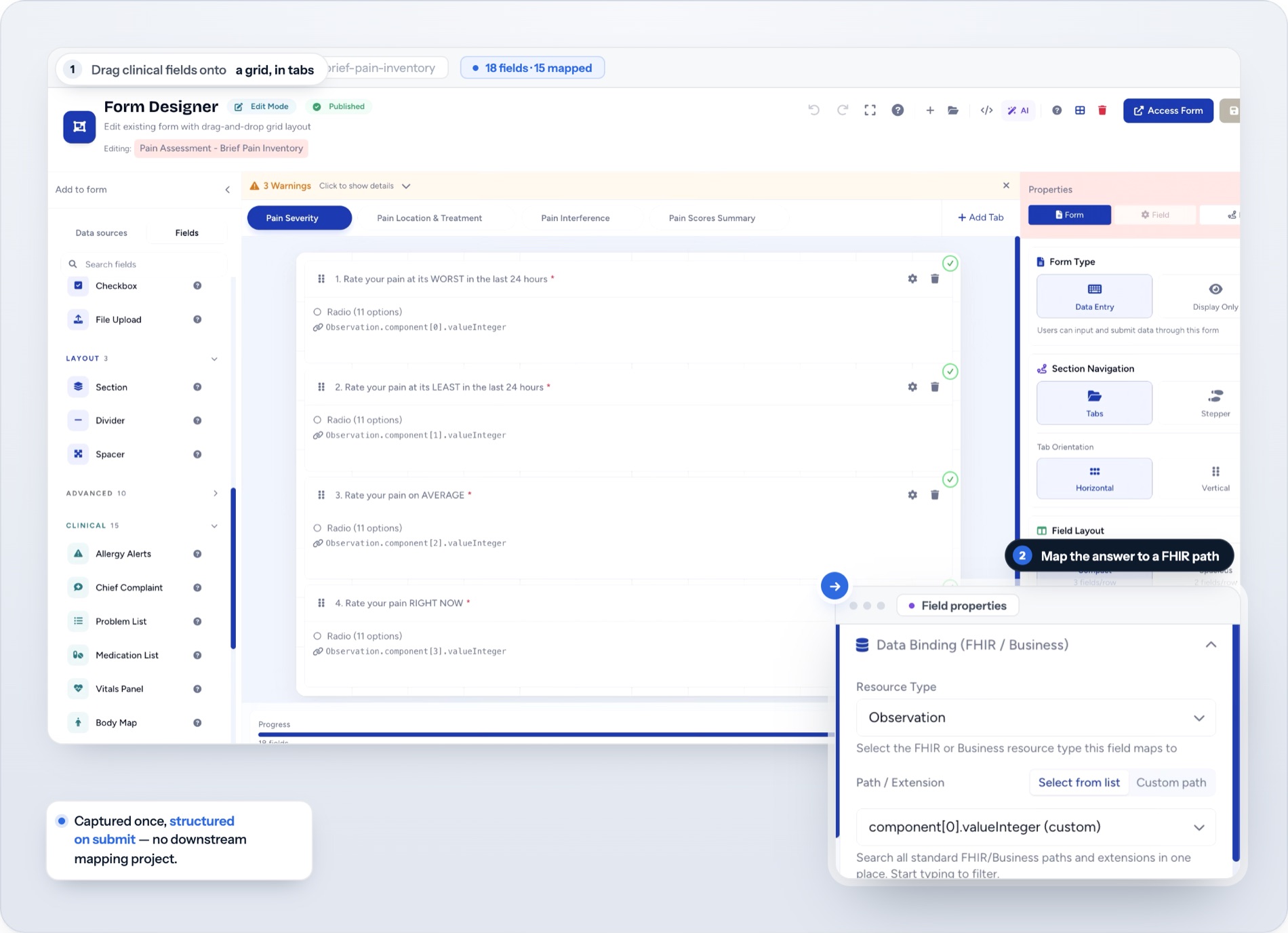
Fifty-nine field types, from a plain date to a vitals panel, an allergy list, a body map or a signature. Point each answer at a FHIR field once in the designer, and every submission after that writes itself.
Clinical fields, ready to use
Vitals panels, medication lists, problem lists, procedures, allergies, body maps and signatures, alongside the ordinary text, date and choice fields.
Conditional logic and live scores
Show a question only when it applies, with fifteen operators deciding. Scores such as BMI calculate as the form is filled in on your team's screen.
Writes as a FHIR transaction on submit
Each field carries the FHIR path you chose for it, so a completed form arrives as coded FHIR on the record. No integration code, and no mapping project afterwards.
Consent and privacy
Compliance controls a clinician can actually work with.
Consent is checked in three places, and the last check happens at the adapter that talks to the network, so no integration can route around it.
Consent per channel, per number
WhatsApp, SMS, email and voice each carry their own consent. A STOP reply to an SMS is honoured immediately and does not expire. The WhatsApp 24-hour reply window is tracked for you, so a free-form message is never sent outside it.
PHI Guard reads it before it leaves
It looks for identifiers such as a record number, a policy number or a date of birth, in the formats a dozen countries use, and for clinical content in the body. It shows what it found and offers the message back with those parts removed.
An override is a decision, not a loophole
Sometimes the sensitive detail is the reason for the message. Your team can send the original, and that choice is written to the audit log with who made it and what was in it.
A FHIR-native front door, on the same record as the clinic.
Connect is not a messaging tool bolted onto your EMR. A WhatsApp message becomes a FHIR Communication, kept even when the sender is not a patient yet. A triaged message opens a FHIR Task with the classification on it. A completed form writes coded FHIR straight onto the record. These are the same resources your clinicians, your analytics and your reporting already read, so there is nothing to reconcile later and no second database to keep in step.
Applications
Built for high-volume healthcare workflows.
Inbound intake and triage
Classify and route inbound WhatsApp so the urgent messages surface ahead of the routine ones.
Outbound care follow-up
Voice check-ins and SMS reminders for post-procedure and long-term condition cohorts, on the schedule you set.
Pre-visit intake
Send a form as a link by SMS or email and have the answers coded on the chart before the patient arrives.
Referral and enquiry routing
Recognise a referral or a billing question on arrival and put it in front of the team that owns it.
Pricing
Per clinic, per month. Not per provider.
Connect is not sold on its own. It comes with the rest of the clinic on one plan, and what changes between plans is how many people you can reach a month. Prices are US list in USD, shown in local currency at checkout, taxes extra.
Replying to a patient who messaged you first is free on every plan, because Meta does not charge for the 24-hour window either. Clinics in India, South East Asia and Latin America pay $49 and $149 for the same plans.
Get started
Answer every message. Even at 2 AM.
Connect your own WhatsApp number and your phone line, and watch the first messages arrive already triaged and attached to a patient.